Create your Bybit API key for Zeus
Zeus reads and settles your Bybit P2P orders through an API key on your Bybit account. Setting it up takes about five minutes on a computer, and you'll need your two-factor code.
The only thing to send us at the end is the API key Bybit shows you. The key uses a public key we prepared for your Zeus. Its private half stays with Zeus, so Bybit gives you no secret to pass on.
This link is missing your setup values. Open the link the Zeus team sent you. It ends in ?stack= and your name, and fills in the values in steps 2 and 4.
Before you start
- Your Bybit account must be a General Advertiser on P2P. Without it, the Fiat trading options in step 5 are greyed out.
- Have your Bybit two-factor app (or email) to hand. Bybit asks for a code when you create the key.
- Use a computer. The copy buttons put each value on your clipboard, ready to paste into Bybit.
-
Open Bybit's API page and start a self-generated key
Go to bybit.com/app/user/api-management and sign in if asked.
Click Create New Key, then choose Self-generated API Keys. Don't choose the system-generated option.
-
Name the key and paste your public key
Under API Key Usage, keep API Transaction selected.
Key nameZeus P2P
Your Public KeyOpen the link the Zeus team sent you to see your public key.
Paste the whole block into Your Public Key, including the
BEGINandENDlines. Bybit rejects it if those lines are missing. -
Choose Read-Write
Under API Key Permissions, select Read-Write. Leave Enable FIX API unticked.
-
Allow only your Zeus's IP address
Select Only IPs with permissions granted are allowed to access the OpenAPI, then paste this address into the box below it. Bybit won't allow P2P orders without an IP here.
IP addressOpen the link the Zeus team sent you.
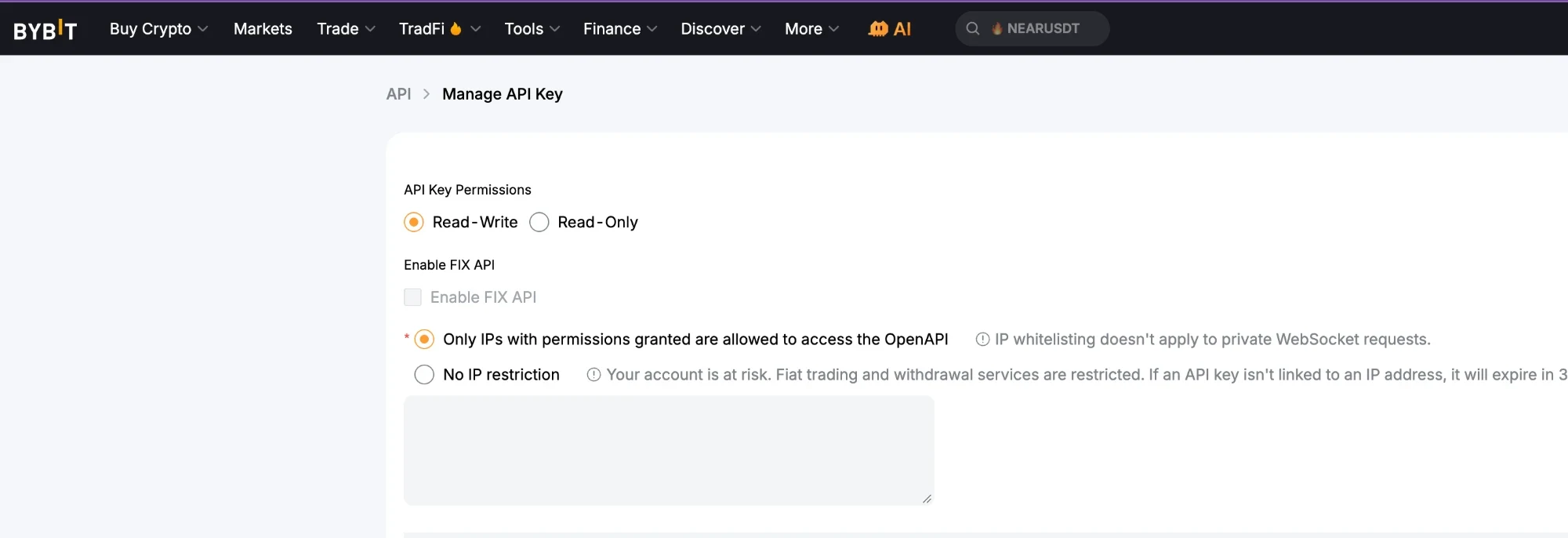
Read-Write and the IP option selected. Paste the address into the empty box. -
Tick P2P Orders and Ads, and nothing else
Scroll down to the permissions table. Under Fiat trading → P2P, tick both boxes:
- ✓Orders: check, pay for or approve orders
- ✓Ads: check, add or modify ads
- ✕Everything else stays unticked: Contract, Spot, Earn, Bybit Pay, and all of Assets, including Withdrawal.
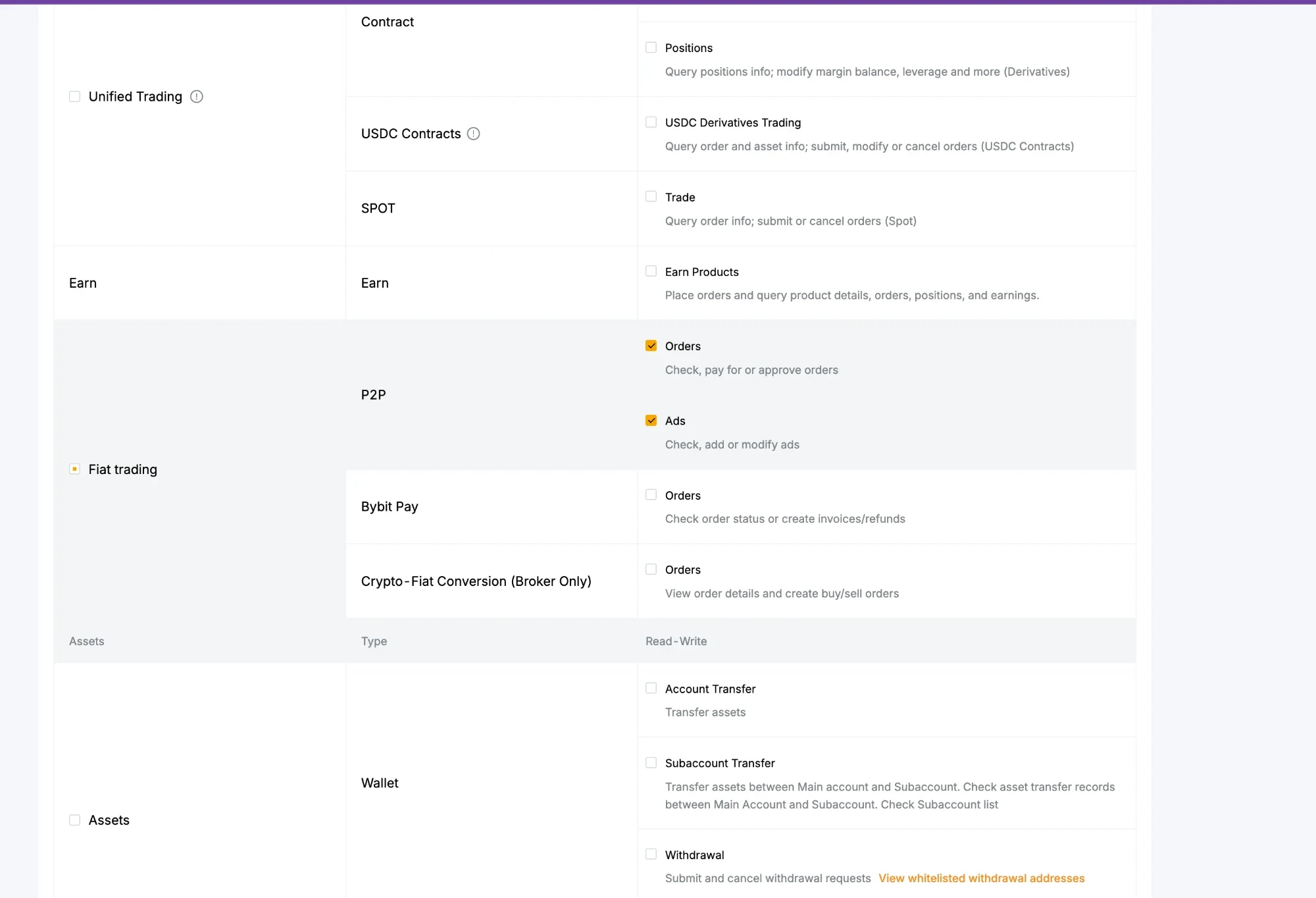
Only the two P2P boxes are ticked. Zeus can't move or withdraw your funds with this key. -
Submit and send us the API key
Click Submit and enter your two-factor code. Bybit then shows the new API Key.
Copy that API key and send it to the Zeus team. That's all we need. Never send your Bybit password or a two-factor code.
If something goes wrong
- “The format of the public key you entered is incorrect”
- Clear the box, use Copy public key again and paste once. The block must start with
-----BEGIN PUBLIC KEY-----and end with-----END PUBLIC KEY-----. - The Fiat trading boxes are greyed out
- Your account isn't a P2P General Advertiser yet. Bybit only offers P2P API access to General Advertisers.
- “You need to set your IP address before choosing Orders”
- Do step 4 first: select the IP option and paste the address, then tick Orders and Ads.